Jio Tv For PC – Install JioTv On Windows OS (10,8,7, Xp)
If you want to install Jio Tv for PC running on Windows OS. Here we are in this post provide the step by step tutorials to download and install Jio Tv for personal computer. This is quite simple to install Jio tv for pc running on Windows OS. With installing android emulators enjoy 600+ channels on your PC Screen. We use android emulators for this.
Steps To Install Jio Tv On Windows, Linux OS
Here is the stpe by step procedures to download and install Jio Tv for your PC. You can follow exact steps and get Jio tv on PC and enjoy jio tv channels on your computer.
Requirements
As above said, we are installing the jio tv for pc with the help of an android emulator software. so we should download and install any of the android emulator on our personal computers. you can download and install any of the below mentioned android emulators.
Just download the .exe file of android emulator. double click on the file and give the necessary permissions to install the android emulator on your pc. While downloading the android emulator make sure you are downloading the executable file that are compatible with your personal computer configuration. (example 32 bit/64 bit os, windows 7, windows 10 etc.)
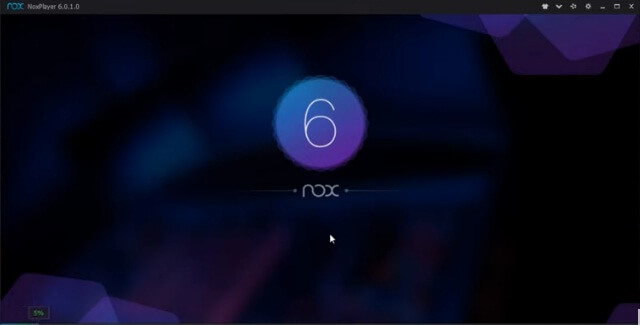
Just download and install the android emulator.
Now Open the app, now you need to sign in with your google account (gmail account) in order to access the apps on playstore that you are seeking Via android emulator. Sign In with the playstore. Just give gmail credentials such as gmail address and password.
Now on the search bar of playstore app within the android emulator, just search with the keyword “Jio tv” and enter.
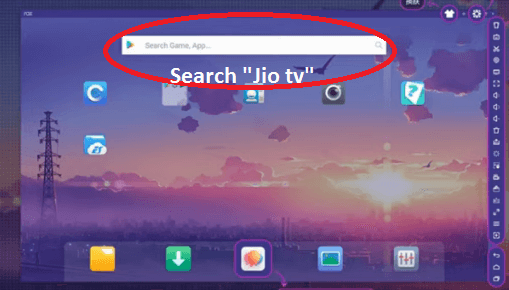
Now you will get the interface as you see in your mobile phone. You will get Jio tv app listed on the search.
You will get “Install” button on play store after selecting the “Jio tv app, now you need to accept the accesses in order to download and install Jio tv via android emulator. Just accept and install.

Then open the app via the android emulator software user interface. Just double click on the app icon to open the application.

Now you need to give the user name and password of your Jio. Give the correct credentials and sign in to the app. You will get enter the app, and can use the jio tv as in your smartphone. Just click on the “wide” icon in order to make jio tv on full screen.
Here we are used nox app player on installing the jio tv app on pc. You can use the same method if you are using the bluestacks software. Apply same method. The user interface only changes according to the android emulator.
Alternate method
Here in this method, we use the android emulators. here instead of searching the jio tv via playstore on android emulator, we are downloading the Jio tv apk and locate in our personal computer.
Now open the android emulator. and from the app just find the jio tv apk file we have located in our personal computer.
Now just double click on the apk file, the android emulator will install the app on pc after giving all the credential.
both the above mentioned methods are easy.
Jio Tv For Mac, Linux Based PC
Above mentioned android emulators are here using while installing the jio tv app on apple Mac so as well as Linux operating system. Follow the same procedures as above to download and install the Jio tv on mac and linux operating system. If you are experiencing any issue while installing, shot a comment on below comment box, we can discuss the issue and solve.
Conclusion:
You have learn to get jio tv run on your personal computer. you may have idea now, how to install other android apps. Yes, android emulators acts as a virtual android device on your pc. Just open the app and use it like your smartphone. You have now installed jio tv for pc or laptop. If you have any trouble on installing Jio tv on computer, don’t hesitate to comment below. we will guide you to solve the issue.
Share the post if you like it.


Comments
Post a Comment